It Was Never Just Tree Height — The Advanced Measurements in Arboreal Tree for iOS
Johan Ekenstedt
5 Aug 2026
When we launched, this app was called Arboreal Tree Height.
We dropped that last word a while ago. Most people never noticed — they still open it, measure the height, and close it again.
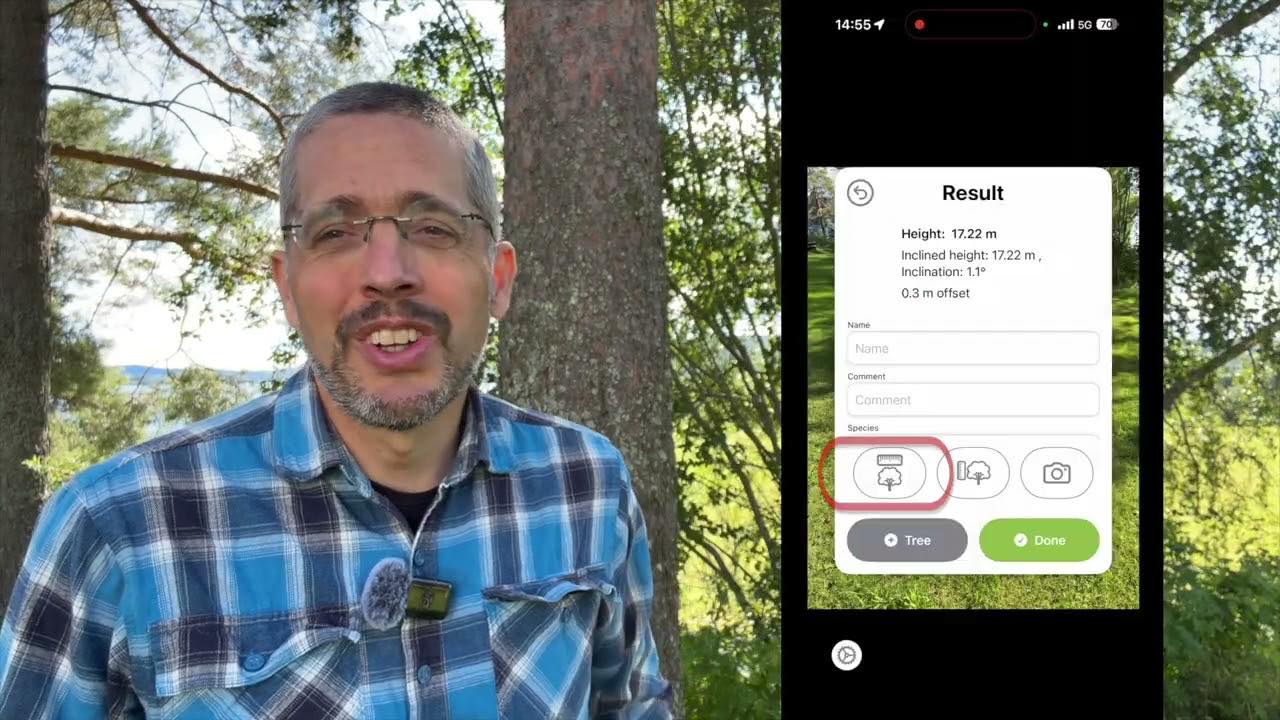
So here's what else is in there. Diameter, two ways. Trunk circumference. Crown shape, crown width, crown height. A photo saved with the measurement. And when you can't get close to the tree at all, you enter the distance manually and measure it anyway.
Then export it as CSV, or find it waiting at arboreal.se when you're back from the field.
Under three minutes. This tutorial shows the iOS version of Arboreal Tree. 🎥 Take a look:
Diameter — two ways to measure
There are two tools for diameter in Arboreal Tree, and which one you reach for depends on the tree.
- The caliper works best on trees up to about 60 cm.
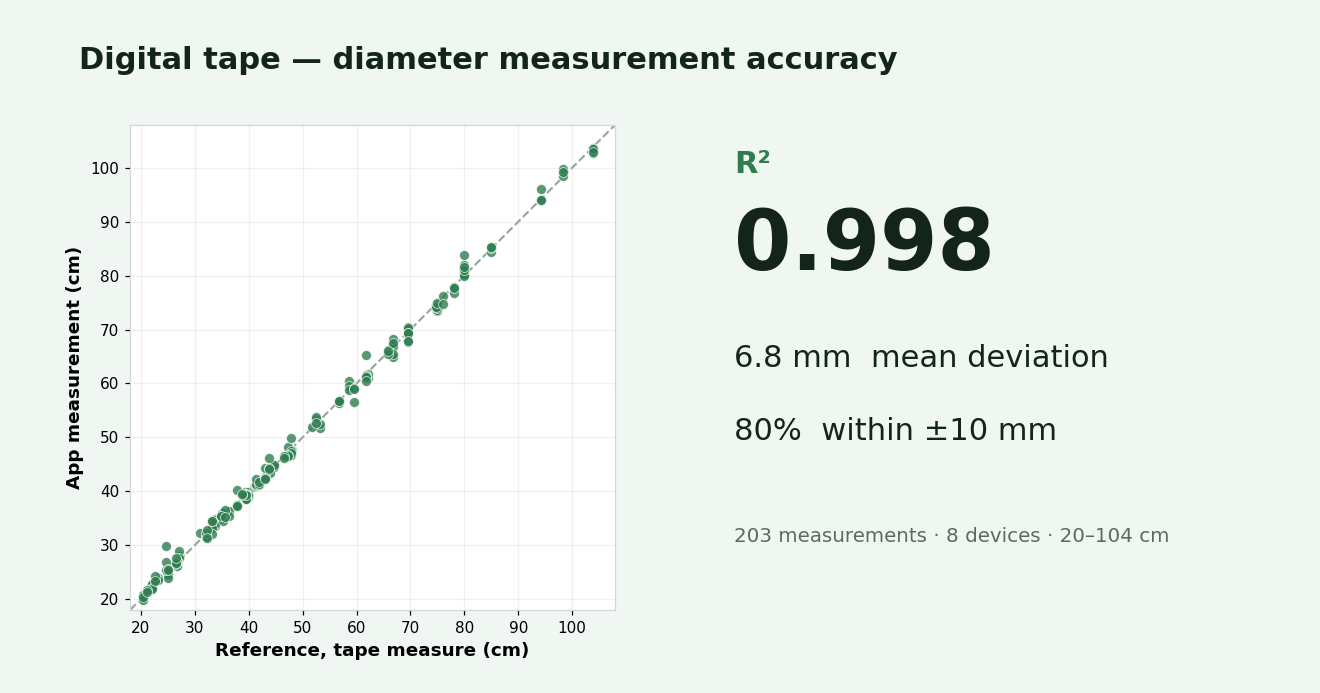
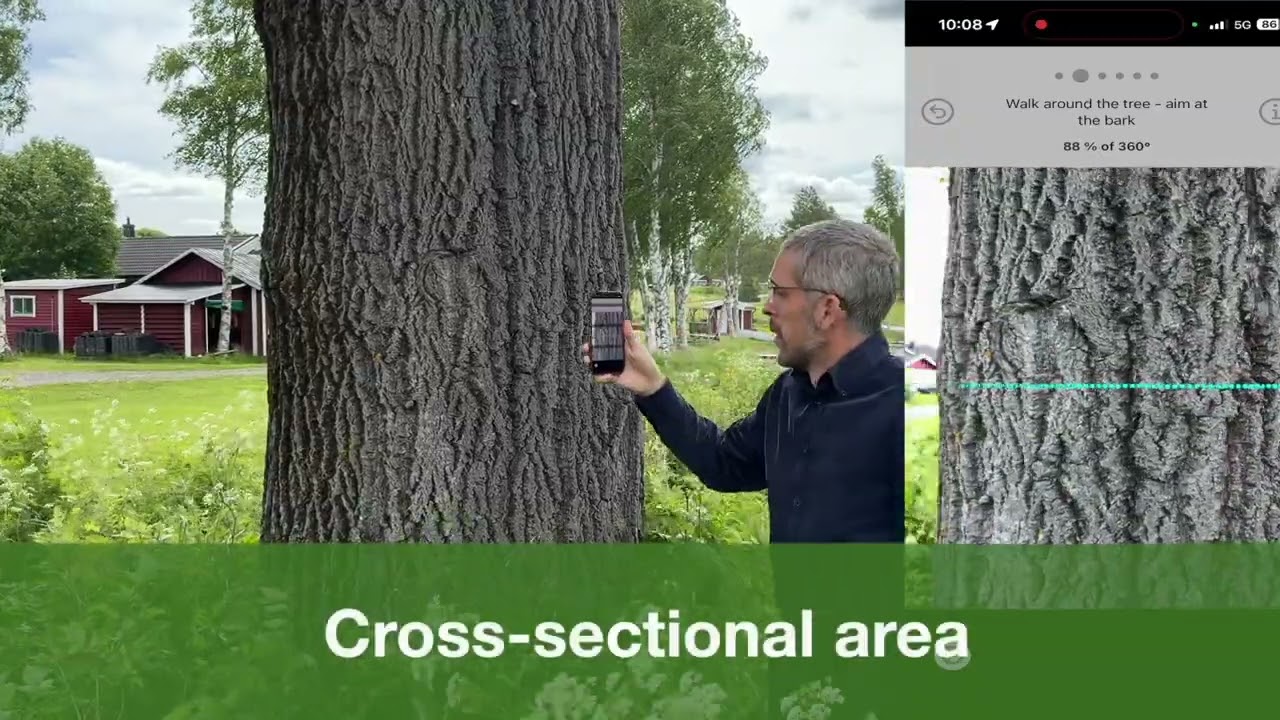
- The digital tape is the better choice for trees over 25 cm — you wrap it around the trunk and get diameter, circumference, and cross-sectional area at once.
In the video we cover how each one behaves on phones with and without LiDAR, and what the dots on screen are actually telling you.
Tip — oval trunks: trunks are rarely a perfect circle. On an oval stem, measure a second time from another position for a better result.
Crown shape, width and height
Beyond the trunk, you can capture the crown. Pick the crown shape, then measure crown width and crown height — and save a photo alongside the measurement.
One thing worth knowing: crown width, crown height and photos all become available after you've measured the tree's height.
When you can't get close to the tree
Sometimes you simply can't reach the trunk — a fence, water, a road, private land. Instead of giving up on the measurement, you enter the distance to the tree manually and measure it from where you're standing.
Tip — no dots on the digital tape? Move the phone closer to the tree, then further away, and they'll appear.
Saving, exporting and syncing
Everything you measure is saved on the device. From there you can:
- Export it as CSV files and JPG images, or
- Sync to the cloud and pick it up at arboreal.se when you're back from the field.
Written by

Johan Ekenstedt
CEO and iOS developer at Arboreal. Making it easier to measure, understand and manage trees and forests.
LinkedIn